
Giving directions (pre-tasks) – Unterrichtsmaterialien
Arbeitsblätter Partneraktivität (M2)
Partner A und Partner B erhalten unterschiedliche Stadtpläne. Mithilfe des Musterdialogs erfragen sie abwechselnd die Positionen der fehlenden Gebäude. Die Lösungen werden in die gelben Felder auf dem Plan eingetragen.
PARTNER A: Find out where these buildings are.
- the zoo
- the post office
- the hospital
- the supermarket
Where is it on the map? Ask and write it in the correct box.
- Excuse me, please. Is there a. near here?
- A… ? Let me see. Oh yes, there is a… inIt's near the…
- Great. Thanks a lot.
- You're welcome. Bye.
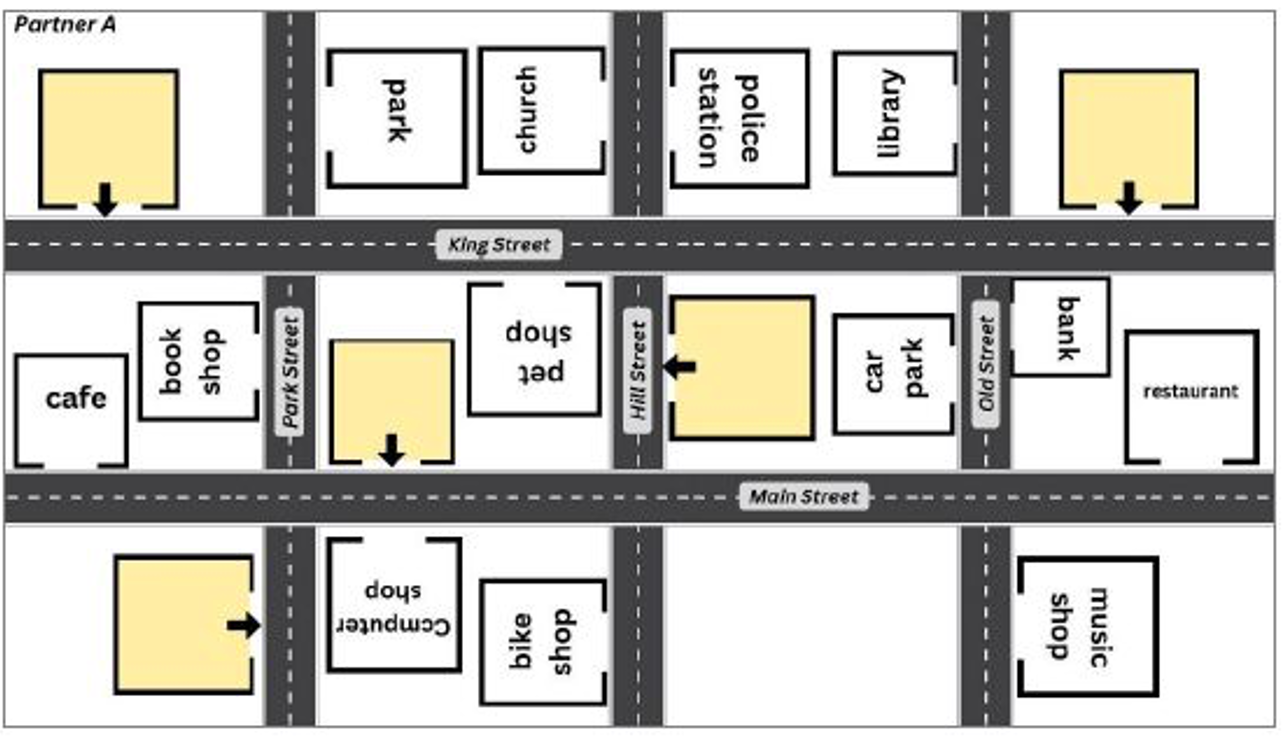
Bildquelle: Abb. 1a (Arbeitsblatt erstellt von E. Frey, Abbildung der Straße generiert mit ChatGPT)
PARTNER B: Find out where these buildings are.
- the pet shop
- the book shop
- the police
- station the bank
- Where is it on the map? Ask and write it in the correct box.
- Excuse me, please. Is there a… near here?
- A… ? Let me see. Oh yes, there is a… in It's near the…
- Great. Thanks a lot.
- You're welcome. Bye.
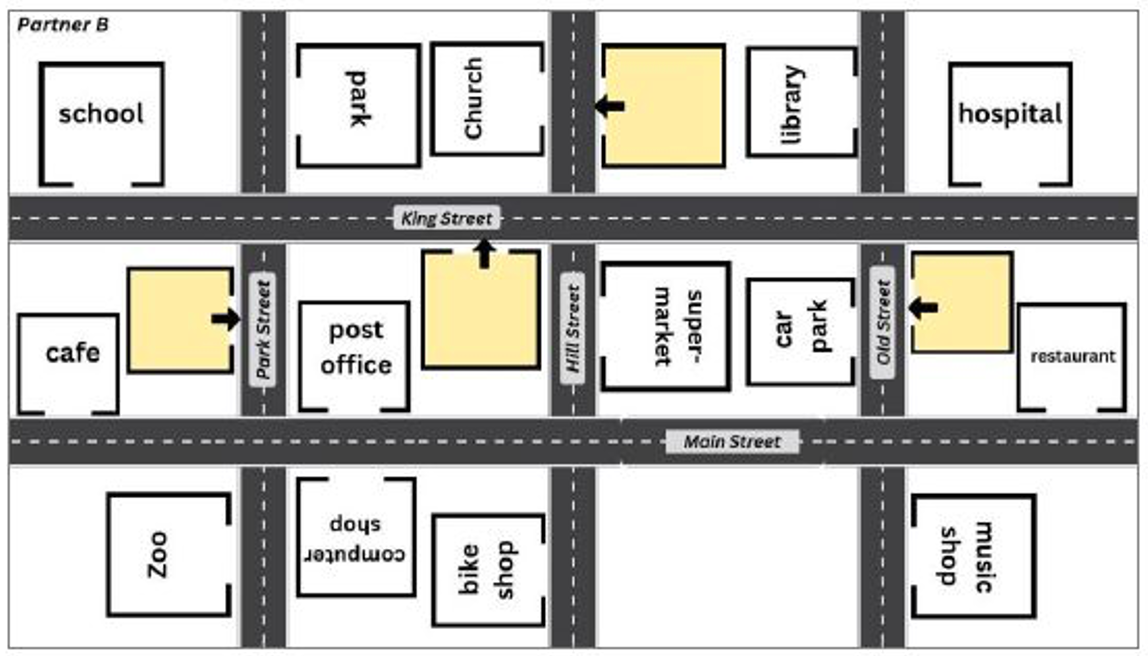
Bildquelle: Abb. 1b (Arbeitsblatt erstellt von E. Frey, Abbildung der Straße generiert mit ChatGPT)
Arbeitsblatt – schriftliche Anwendung (M5)
Fill in the gaps with the words from the box.
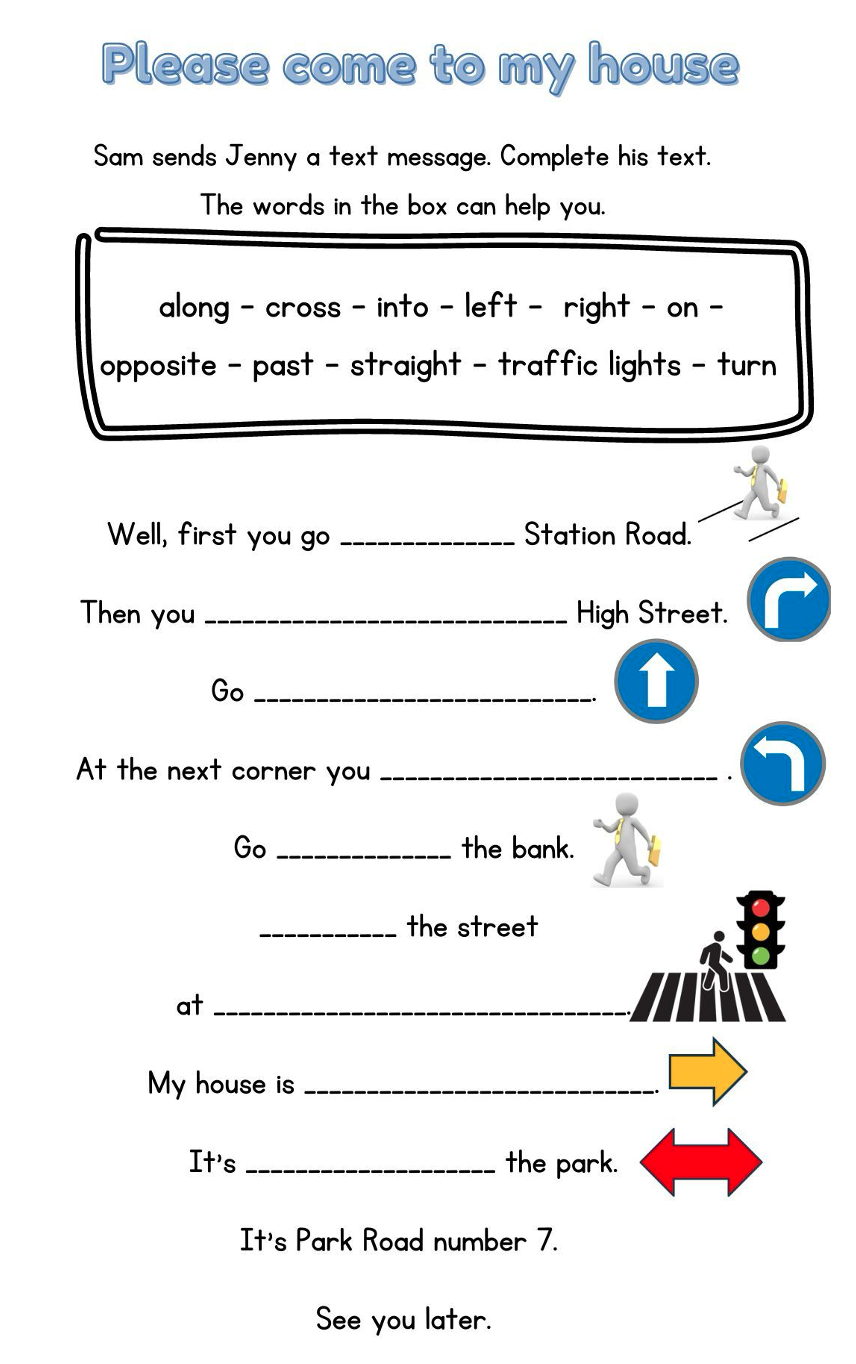
Bildquelle: Abb. 2 (Arbeitsblatt erstellt von E.Frey, Bilder von traffic lights/cross: Adobe Stock, Bild von Geschäfts-mann: Pixabay von Peggy und Marco Lachmann-Anke, Verkehrsschilder erstellt mit MS Word)
Partnerkärtchen (M6)
Cut out the cards. Student A takes one card and reads the description. Student B follows the route with the Lego figure. Check your answer in brackets. Then switch roles.
| Go along Hill Street. Turn right into Main Street. Go straight on. Turn left at the traffic lights. Go past the bank and the car park. Cross King Street and go straight on. It's on the left. (the library) | Go along Hill Street. Turn left and go straight on. Go past the computer shop and the post office. Turn left at the traffic lights. It's on the right. (the zoo) |
| Go along Hill Street. Cross Main Street. It's on the right. (the supermarket) | Go along Hill Street. Turn right into Main Street. Go straight on and cross Old Street. Go past the bus stop. It's on the left. (the restaurant) |
| Go along Hill Street. Cross Main Street. Go past the supermarket. Cross King Street at the traffic lights. Go straight on. It's on the right. (the police station) | Go along Hill Street. Turn left into Main Street. Go past the post office and turn right into Park Street. Go past the book shop and turn left into King Street. Go past the bus stop. It's a on the right. (the school) |
| Go along Hill Street. Cross Main Street, Go straight on past the supermarket. Turn left into King Street at the traffic lights. It's on the left. (the pet shop) | Go along Hill Street. Turn right into Main Street. Go straight on. Turn left into Old Street at the traffic lights. Go past the bus stop. It's on the right. (the bank) |
| Go along Hill Street. Turn left into Main Street. Go straight on past the post office. Turn right into Park Street at the traffic lights. Go past the book shop. Cross King Street. It's a on the right. (the park) | Go along Hill Street. Turn left into Main Street. Go straight on. It's on the right. (the post office) |
| Go along Hill Street. Turn right into Main Street. Go straight and turn left at the traffic lights. Go past the bank. Turn right into King Street. It's a on the left. (the hospital) | Go along Hill Street. Cross Main Street and go past the supermarket. Cross King Street and go straight on. It's a on the left. (the church) |
Karte für die Partnerarbeit (M2)
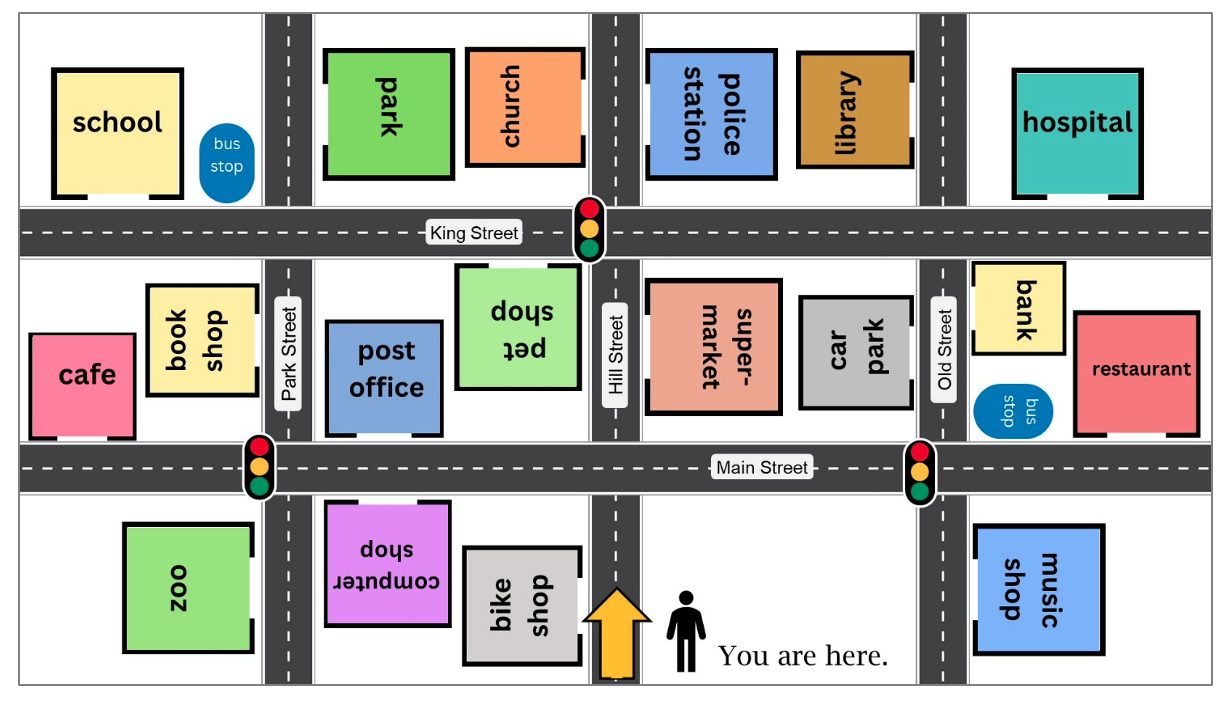
Abb. 3b: Stadtplan (erstellt von E. Frey (PowerPoint), Bild von traffic lights: Adobe Stock, Bild von street: generiert mit ChatGPT)
Präsentation
Folie 1: Einstieg - Stummer Impuls
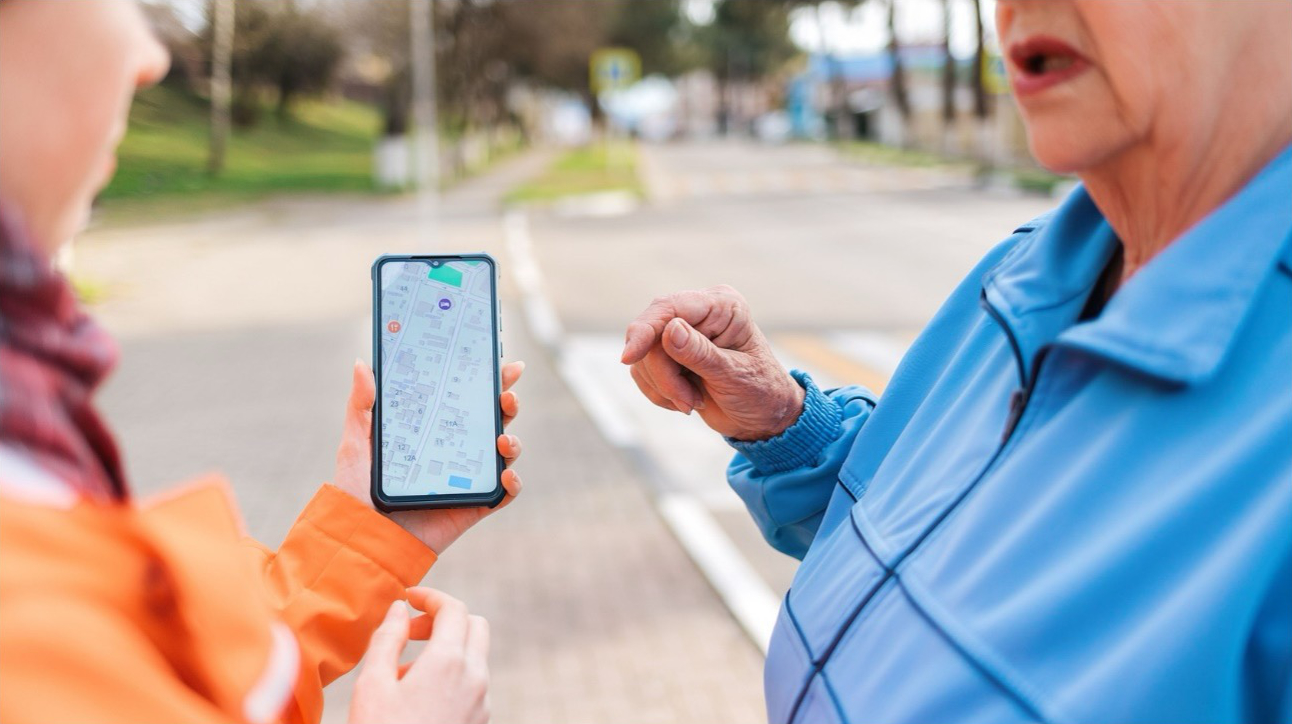
(c) 485505337 von _KUBE_ via via Adobe Stock
Folie 2: Modelldialog für die Partnerarbeit
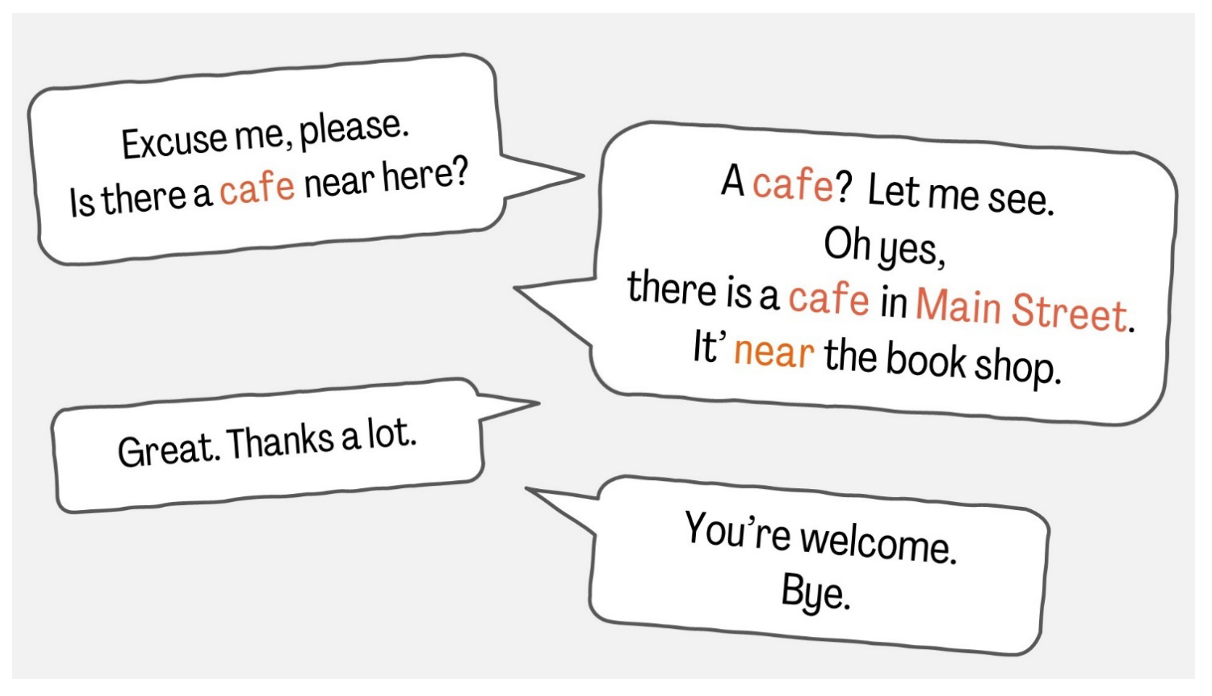
Bildquelle: Abb. 5 (Bild erstellt von E. Frey /PowerPoint)
Bildinhalt: Folie 3: Arbeitsanweisung - Mini-Dialog in Partnerarbeit (Sprechblasen)
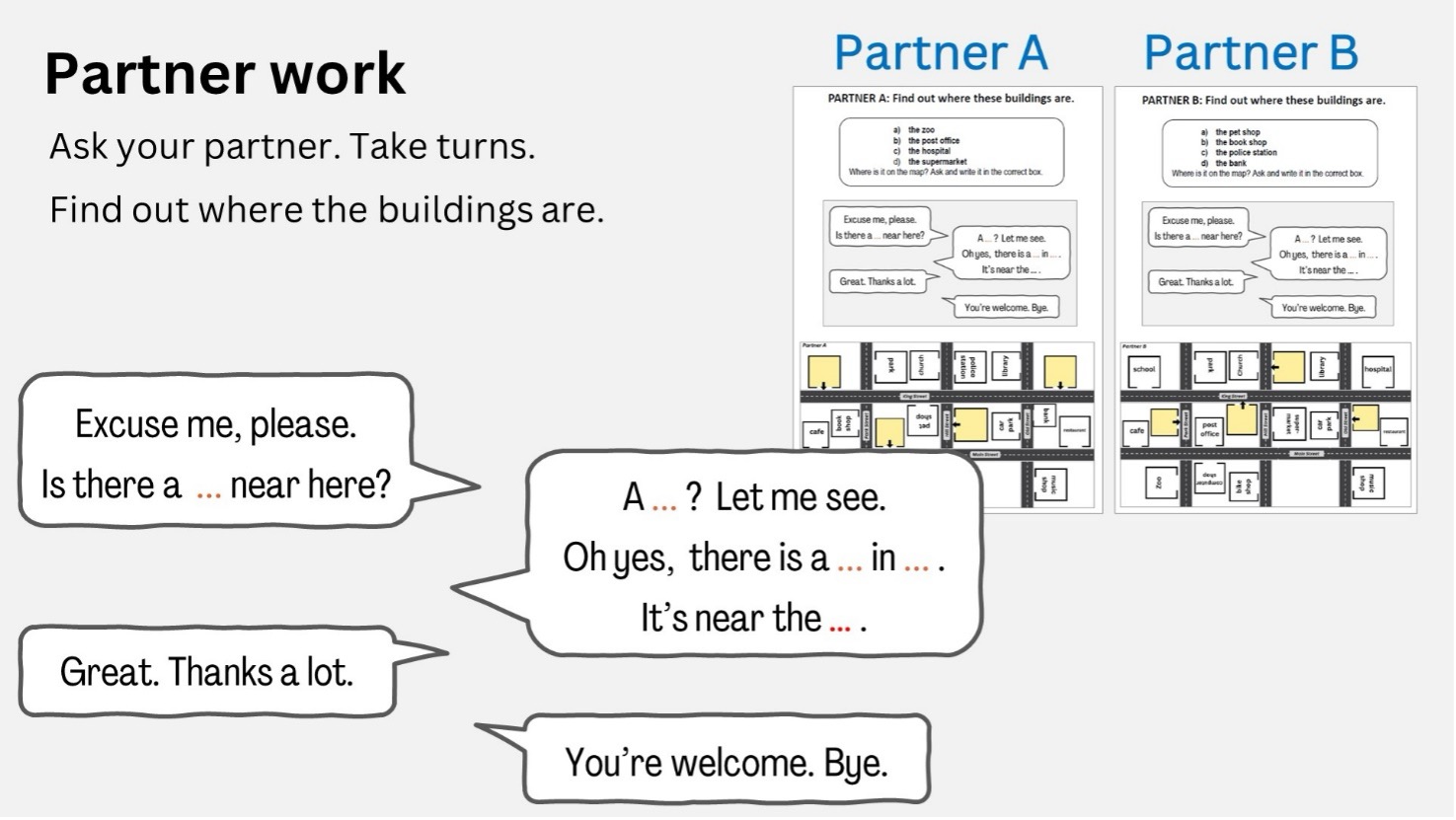
Abb. 6 (Bild erstellt von E. Frey /PowerPoint)
Bildinhalt: Folie 4: Einführung der Redemittel (Sprechblasen und Material M2)
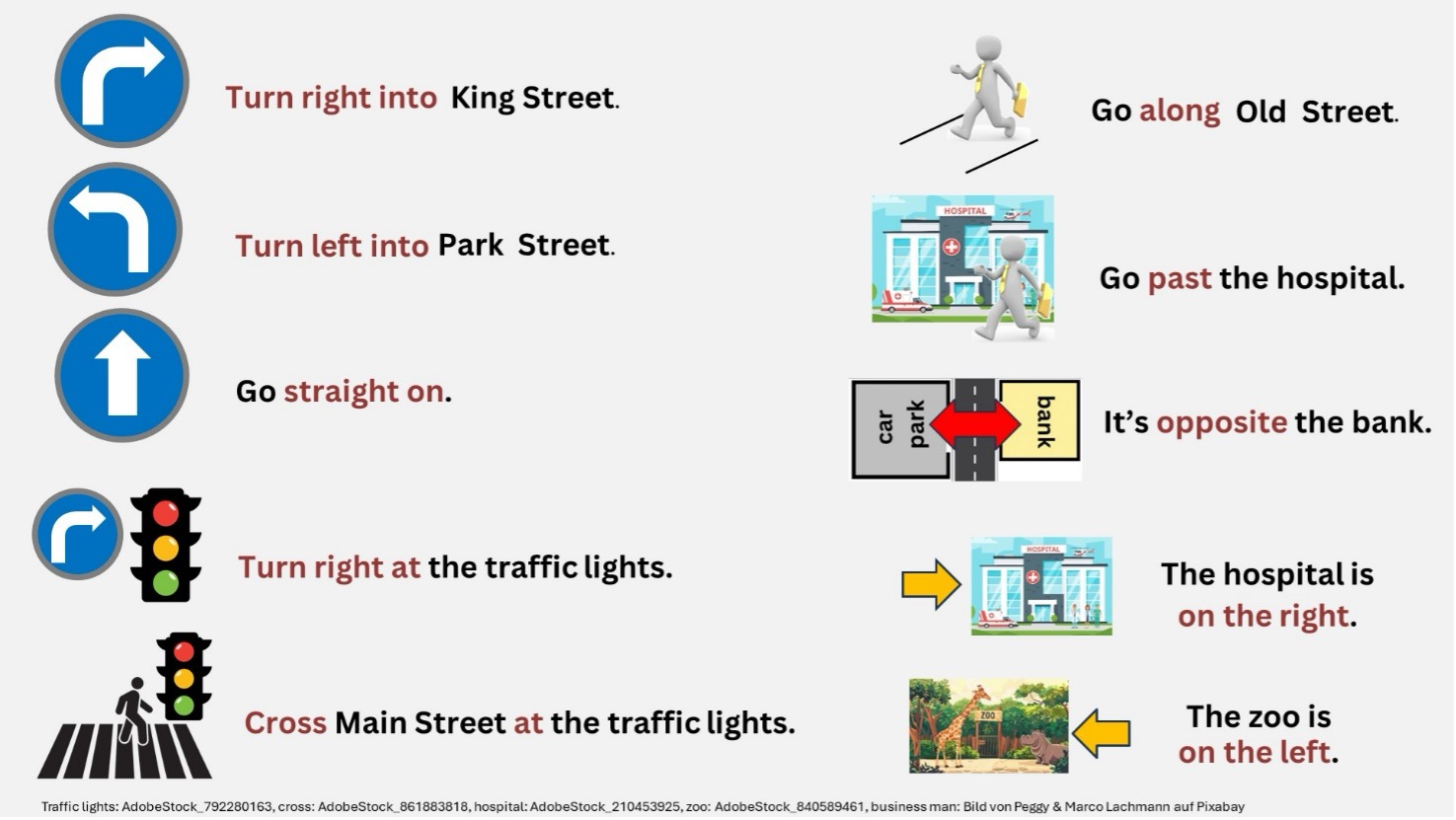
Bildquelle: Abb. 7 (Bild erstellt von E. Frey (Powerpoint), Bilder von traffic lights/cross/hospital: Adobe Stock, Bild von Geschäftsmann: Pixabay von Peggy und Marco Lachmann-Anke, Verkehrsschilder erstellt mit MS Word, Bild von zoo generiert mit ChatGPT)
Bildinhalt: Folie 5: Zuordnung der Bilder (Straßenschilder; Ampel; Zoo; Krankenhaus; Männchen, das ein Krankenhaus passiert / über einen Zebrastreifen läuft und Redemittel für die Partnerarbeit)
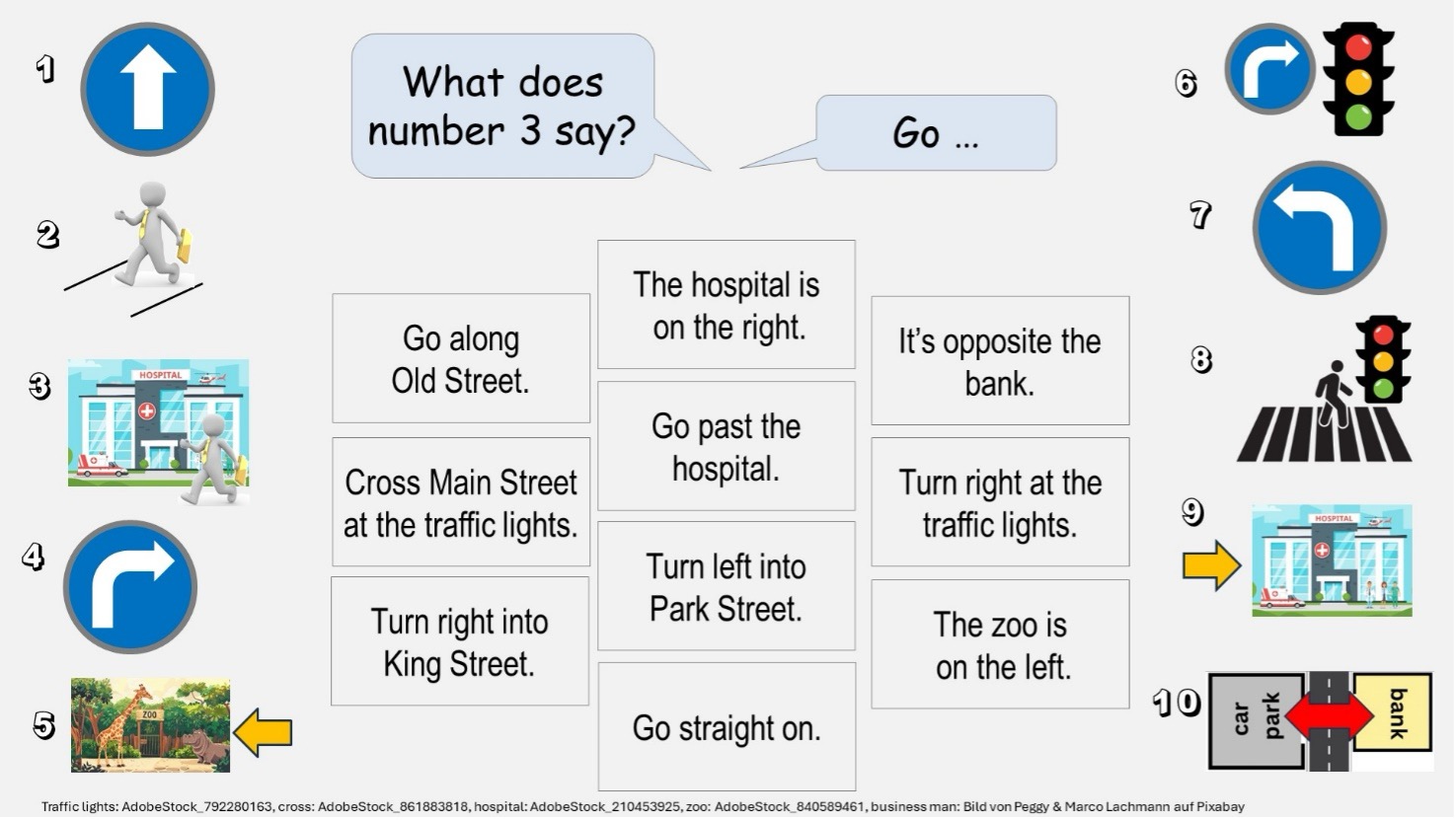
Bildquelle: Abb. 8 (Bild erstellt von E. Frey (PowerPoint), Bilder von traffic lights/cross/hospital: Adobe Stock, Bild von Geschäftsmann: Pixabay von Peggy und Marco Lachmann-Anke, Verkehrsschilder erstellt mit MS Word, Bild von zoo generiert mit ChatGPT)
Bildinhalt: Folie 6: Ergänzen der Redemittel in Partnerarbeit (Bilder s. Folie 5)
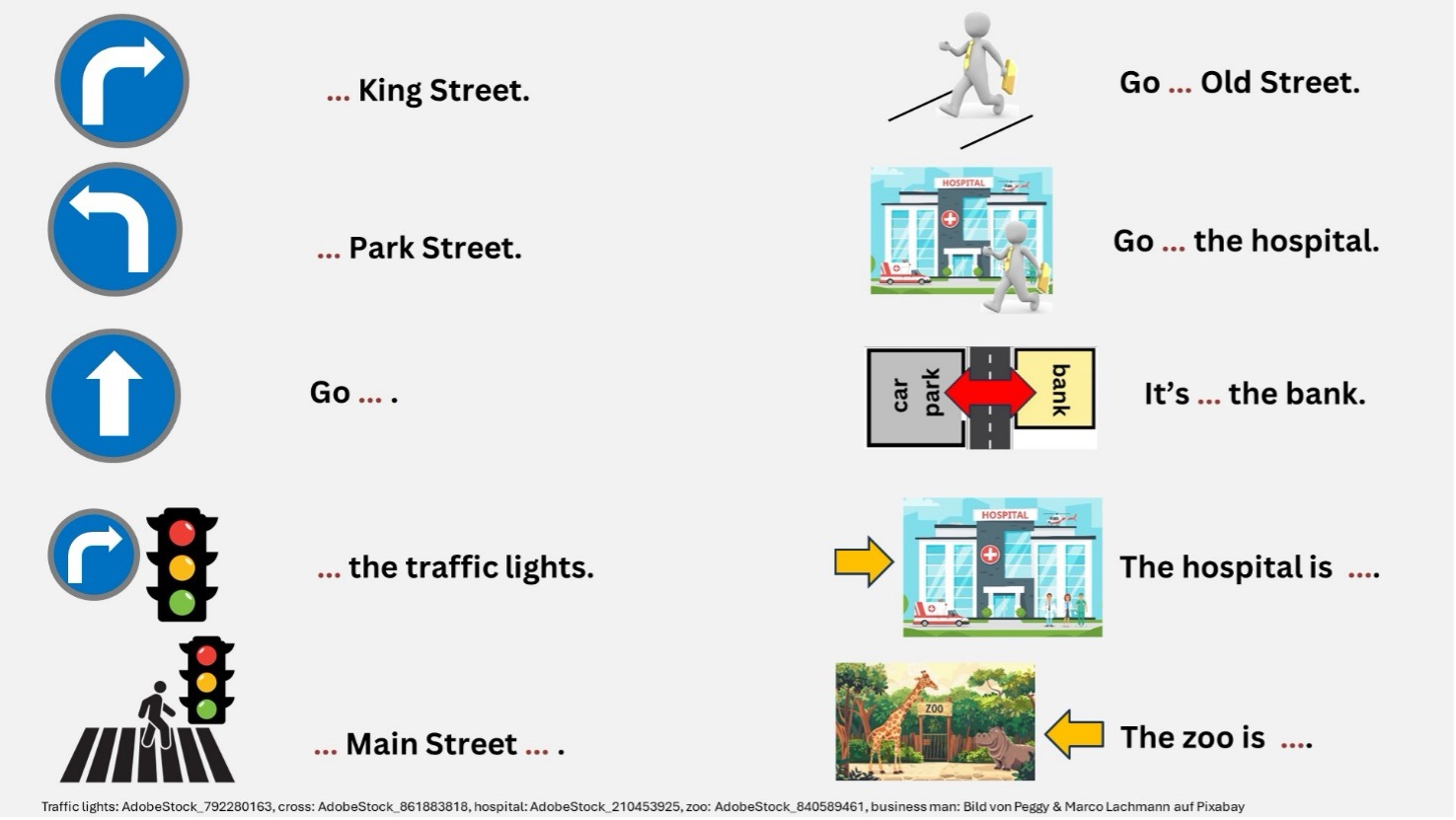
Bildquelle: Abb. 9 (Bild erstellt von E. Frey (PowerPoint), Bilder von traffic lights/cross/hospital: Adobe Stock, Bild von Geschäftsmann: Pixabay von Peggy und Marco Lachmann-Anke, Verkehrsschilder erstellt mit MS Word, Bild von zoo generiert mit ChatGPT)
Bildinhalt: Folie 7: Arbeitsanweisung - Schriftliche Anwendung der Redemittel (Bilder s. Folie 5)
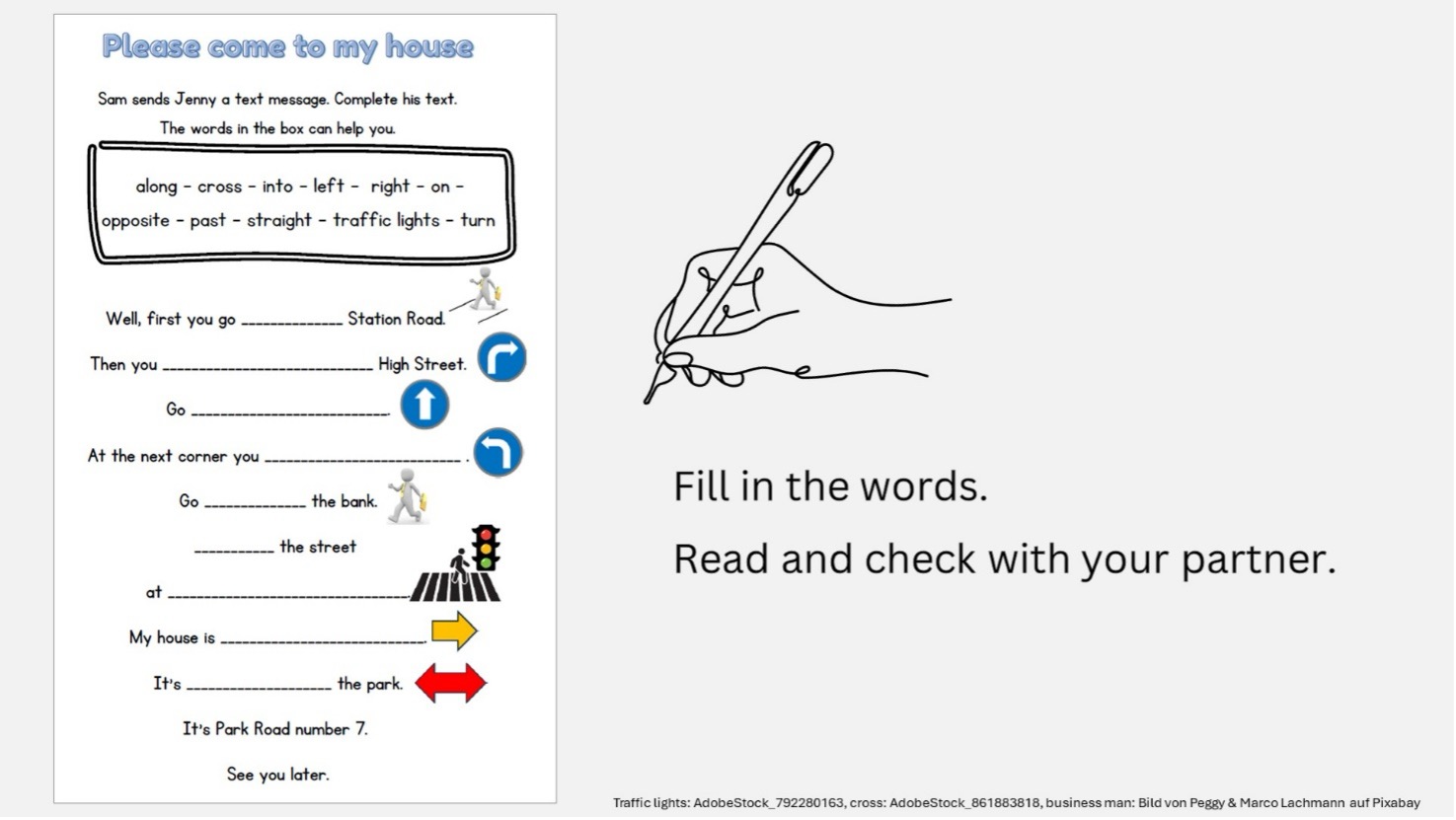
Bildquelle: Abb. 10 (Bild erstellt von E. Frey (PowerPoint), Bilder von traffic lights/cross: Adobe Stock, Bild von Geschäftsmann: Pixabay von Peggy und Marco Lachmann-Anke, Verkehrsschilder erstellt mit MS Word)
Bildinhalt: Folie 8: Sicherung der schriftlichen Anwendung (s. Material 5)
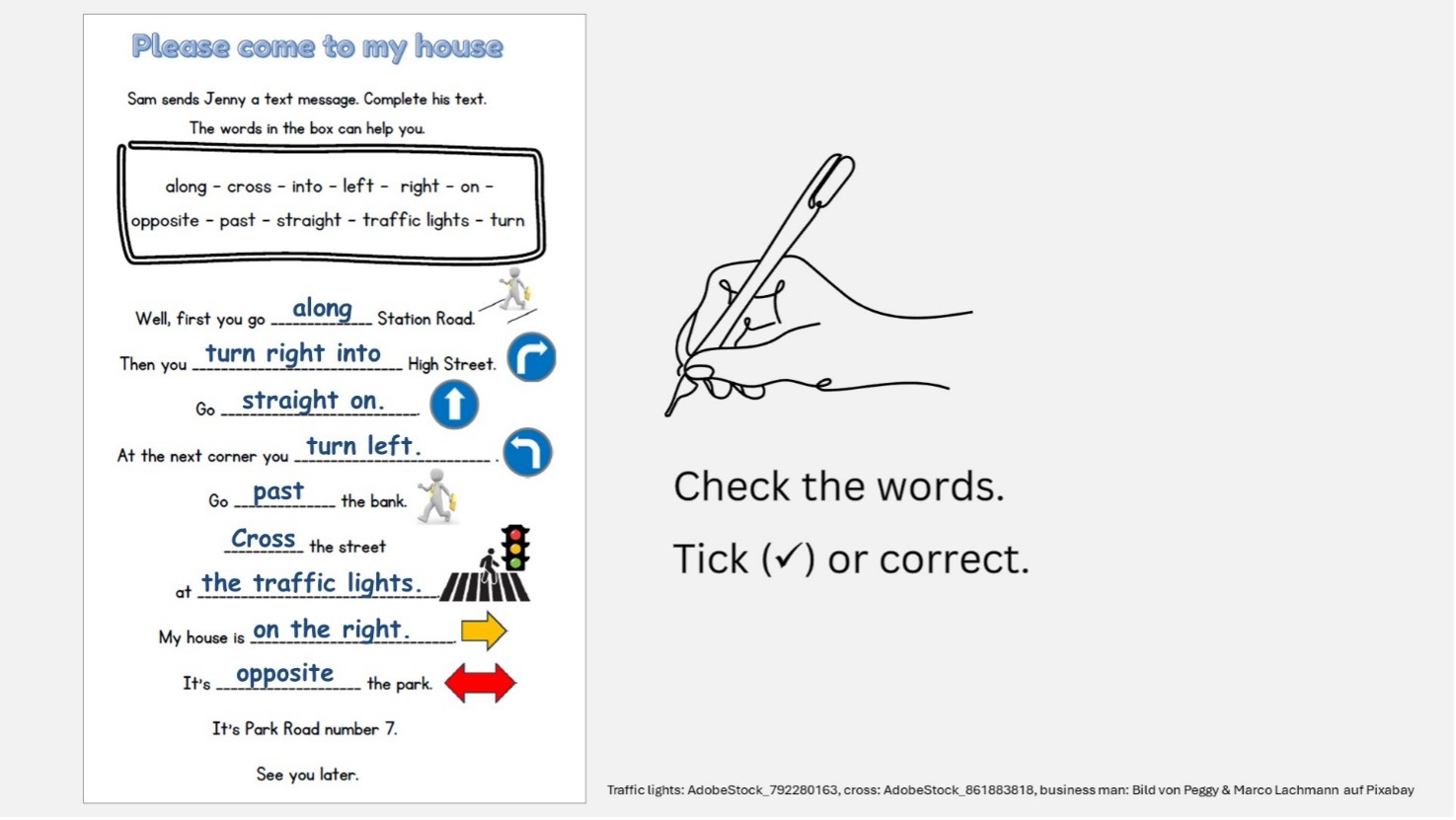
Bildquelle: Abb. 11: Bild erstellt von E. Frey (PowerPoint), Bilder von traffic lights/cross: Adobe Stock, Bild von Geschäftsmann: Pixabay von Peggy und Marco Lachmann-Anke, Verkehrsschilder erstellt mit MS Word
Bildinhalt: Folie 9: Anwendung der Redemittel in Partnerarbeit (s. Material 5)
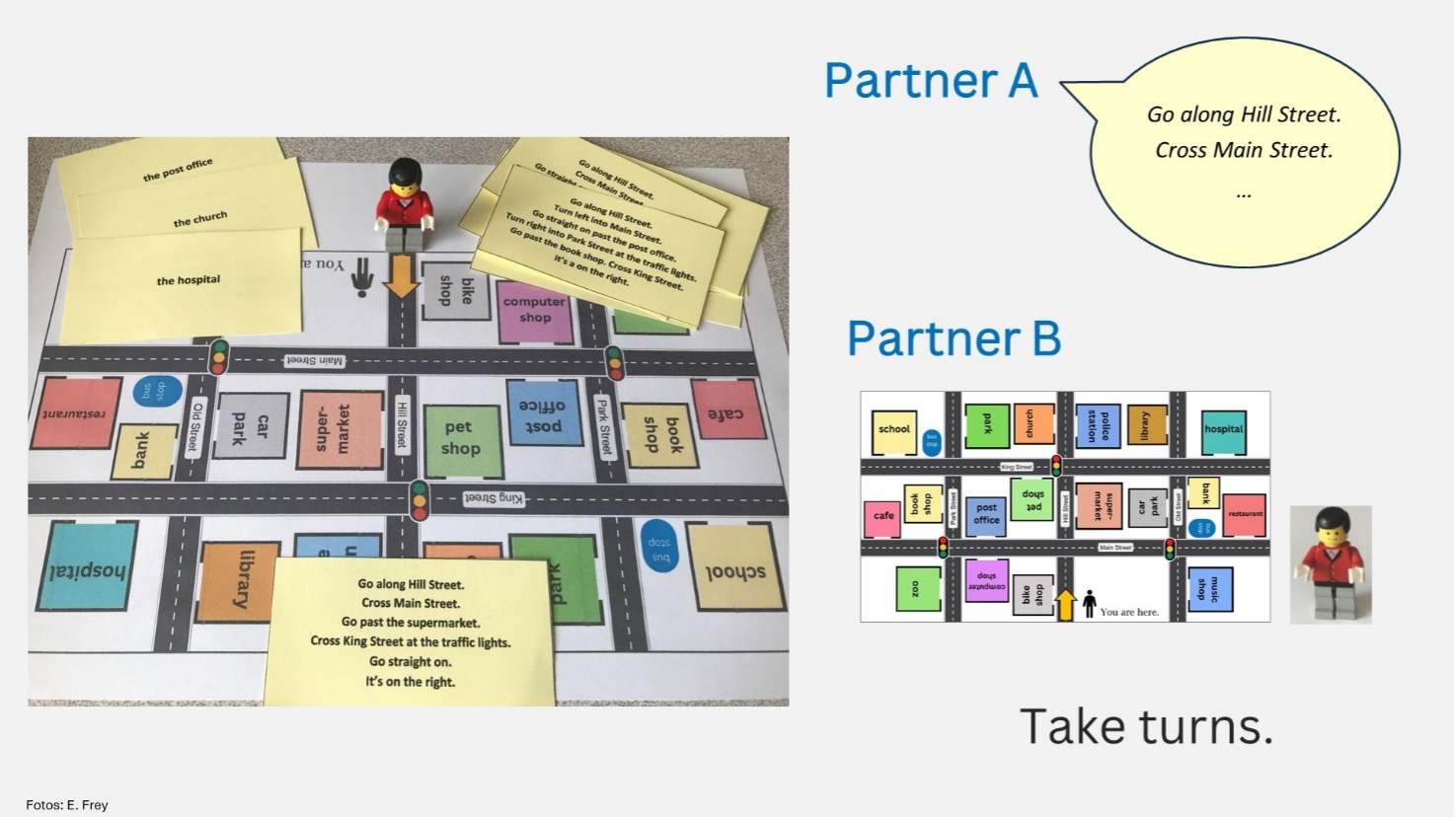
Abb. 12: Abbildung erstellt mit PowerPoint, Fotos: E. Frey